
RFP Tracker Template: Deadlines, Owners, and Win Rate
Download a practical RFP tracker and learn the fields, stages, formulas, and review cadence that keep proposal work under control.

Written by RFP AI Hub Editorial Team
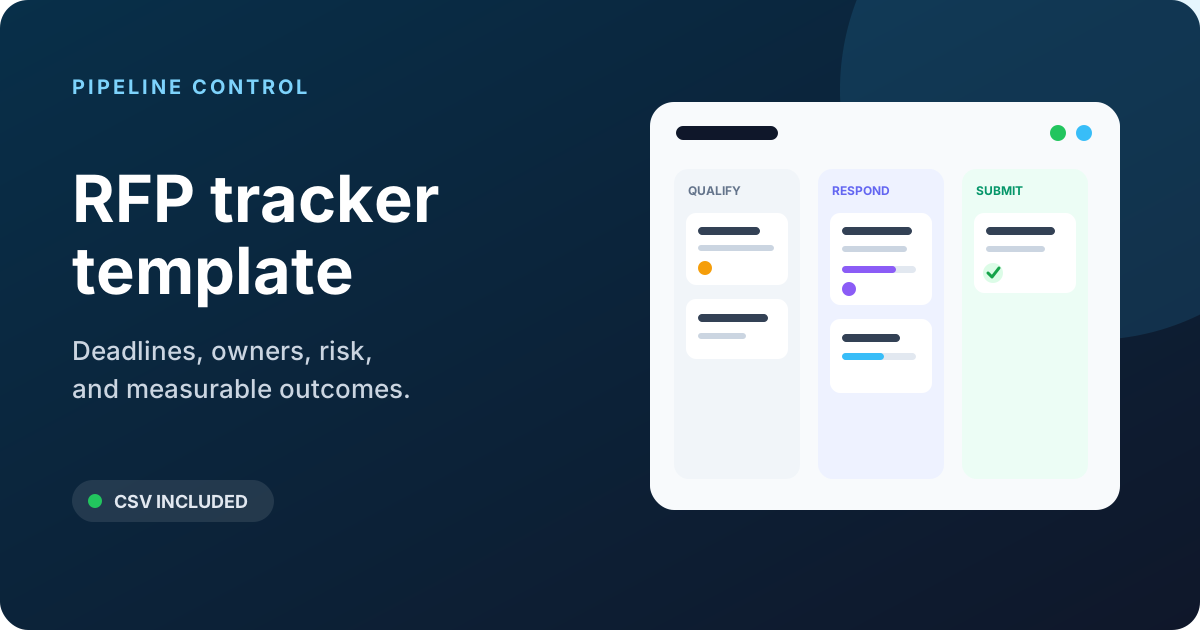
An RFP tracker should tell the team what deserves attention today, not merely store a list of opportunities. The useful version connects qualification, deadlines, ownership, response progress, risk, and outcomes in one view.
Download the RFP tracker CSV, import it into Excel or Google Sheets, and adapt the fields below to your workflow.

Top alternative for evidence-first teams
Savix
Turn source documents into review-ready RFP answers — with the evidence visible.
Draft in batches, see the excerpt behind each claim, and route exceptions to a human before the response leaves your team.
- $99/mo · 1 user
- $300/mo · 10 users
- Unlimited RFPs
- Unlimited questions
- 14-day trial
What the tracker includes
| Field | Why it matters |
|---|---|
| Opportunity ID | Stable reference across CRM, files, and reporting |
| Buyer and opportunity | Makes the row recognizable without opening another system |
| RFP type | Separates RFP, RFI, RFQ, DDQ, security, and grant workflows |
| Source | Shows where opportunities originate |
| Value and strategic tier | Adds commercial context without pretending every RFP is equal |
| Go/no-go status | Records the qualification decision |
| Stage | Shows the current response state |
| Proposal owner | Creates one accountable lead |
| Sales owner | Keeps commercial ownership visible |
| SMEs | Identifies the contributors likely to become bottlenecks |
| Buyer deadline | The actual submission deadline and time zone |
| Internal deadlines | Draft, review, approval, and upload checkpoints |
| Completion | Summarizes answered and approved requirements |
| Risk | Makes intervention visible |
| Next action | Turns the tracker into an operating queue |
| Outcome and reason | Supports win/loss learning |
Do not keep fields nobody reviews. A smaller tracker that drives a weekly decision is better than a 70-column sheet that is always out of date.
The seven-stage workflow
Use a controlled stage list so reports do not split “Red Team,” “review,” and “Review stage” into separate categories.
1. Intake
The RFP has been received, but the team has not made a qualification decision. Capture the deadline, submission method, buyer, opportunity owner, estimated value, and links to source files.
Target: complete intake within one business day. A row should not sit here because nobody wants to make a decision.
2. Qualify
The team evaluates fit, access, value, effort, timing, competition, and risk. Record the decision as Go, No-go, Conditional, or Pending clarification.
The decision should have an owner and reason. “No bandwidth” may be valid, but it is more useful when translated into a constraint such as “requires 120 estimated hours during two overlapping strategic bids.”
3. Plan
The proposal lead has a compliance matrix, response calendar, work breakdown, SME assignments, and approved win strategy. The team has identified exceptions and clarification questions.
Target: planning finishes before significant drafting begins. Otherwise contributors answer questions that may later be excluded or reframed.
4. Draft
Contributors are writing and attaching evidence. Track answered requirements separately from approved requirements: a generated or first-pass answer is not complete until an accountable reviewer validates it.
5. Review
The response moves through compliance, technical, commercial, legal, and buyer-perspective reviews. Record the next gate and owner rather than changing the stage for every review meeting.
6. Submit
The final files are approved and production-checked. Keep the opportunity in this stage until the portal confirms upload and the team archives the exact submitted version.
Capture the submission confirmation, timestamp, and any post-submission clarification dates.
7. Outcome
Record Won, Lost, Withdrawn, Cancelled, or No decision. Add decision date, value, reason, competitor when reliably known, and debrief notes.
The tracker becomes more valuable after the deadline. Without outcome data, it cannot reveal where the team wins, over-invests, or repeatedly encounters the same gaps.
Recommended tracker columns
The downloadable file uses these groups.
Opportunity
- Opportunity ID
- Buyer
- Opportunity name
- RFP type
- Industry
- Source
- CRM URL
- Source folder URL
- Estimated value
- Currency
- Strategic tier
Qualification
- Go/no-go status
- Decision date
- Decision owner
- Decision rationale
- Incumbent
- Known competitors
- Relationship strength
- Solution fit
- Delivery fit
- Win probability
- Estimated response hours
Delivery
- Stage
- Proposal owner
- Sales owner
- Solution owner
- Commercial owner
- Legal owner
- SME list
- Buyer deadline
- Deadline time zone
- Clarification deadline
- Draft complete date
- Review date
- Approval date
- Planned upload date
- Answered requirements
- Approved requirements
- Total requirements
- Compliance exceptions
- Risk level
- Risk note
- Next action
- Next action owner
- Next action due
Outcome
- Submitted at
- Outcome
- Decision date
- Awarded value
- Win/loss reason
- Debrief date
- Learning captured
Four formulas that make the tracker useful
Assume the tracker is an Excel table named RFPs. Adjust names to match your sheet.
Days until deadline
=IF([@[Buyer deadline]]="","",INT([@[Buyer deadline]]-NOW()))
Do not rely on the integer alone when deadlines include a time zone. Display the original deadline and time zone beside it.
Answer completion
=IFERROR([@[Answered requirements]]/[@[Total requirements]],0)
Approval completion
=IFERROR([@[Approved requirements]]/[@[Total requirements]],0)
These are deliberately separate. A response can be 100% drafted and only 45% approved.
Simple attention flag
=IF([@[Go/no-go status]]<>"Go","",
 IF([@[Buyer deadline]]<NOW(),"OVERDUE",
 IF(AND([@[Buyer deadline]]-NOW()<3,[@[Approval completion]]<0.9),"RED",
 IF(OR([@[Risk level]]="High",[@[Next action due]]<TODAY()),"AMBER","GREEN"))))
Use the flag to sort a meeting, not to automate judgment. A strategically important RFP with a healthy schedule may still deserve more attention than a small “red” opportunity.
A practical go/no-go scorecard
Score each dimension from 0 to 2:
| Dimension | 0 | 1 | 2 |
|---|---|---|---|
| Problem fit | Poor or unclear | Partial | Strong and evidenced |
| Buyer access | No access | Limited | Active sponsor and access |
| Requirements | Major gaps | Manageable gaps | Strong fit |
| Delivery | Capacity or timing conflict | Conditional | Feasible and resourced |
| Commercial fit | Unacceptable | Needs approval | Within target |
| Competitive position | Wired for competitor | Neutral/unknown | Differentiated position |
| Strategic value | Low | Moderate | High |
A total score is not the decision. Set knockout conditions separately, such as an impossible mandatory certification, unapproved contract exposure, or a delivery date the team cannot meet.
Document overrides. If leadership pursues a low-scoring strategic opportunity, the tracker should show the reason and the additional controls required.
For a weighted 100-point model, knockout checks, decision bands, and a downloadable scorecard, use the RFP go/no-go decision template.
The 15-minute daily view
Filter to open “Go” opportunities and sort by attention flag, then deadline. For each red or amber row, ask:
- What changed since yesterday?
- What is the next deliverable?
- Who owns it?
- When is it due?
- What decision or escalation is blocking progress?
Update the row during the meeting. A tracker reviewed only on Fridays is a report, not a coordination tool.
The 30-minute weekly review
Use a wider lens once a week:
- new intake awaiting qualification;
- upcoming resource conflicts across proposals;
- unanswered and unapproved requirement counts;
- high-risk exceptions;
- pricing and legal approval queues;
- submission readiness for the next two weeks;
- recent outcomes and debrief actions.
Close by assigning one owner and due date to every open action. “Team to review” is not an assignment.
Metrics worth calculating
Submission rate
Submitted opportunities / Go decisions
This shows whether the organization follows through after qualification. A low rate may indicate capacity problems or weak intake discipline.
Win rate
Use at least two views:
- count win rate: wins divided by decided submissions;
- value win rate: awarded value divided by decided submitted value.
Exclude cancelled and no-decision opportunities from the main win-rate denominator, but report them separately. Always publish the denominator and time period with the percentage.
Cycle time
Measure days from intake to submission, then break the cycle into qualification, planning, drafting, review, and production. The slowest stage often matters more than total time.
Effort per submission
Compare estimated and actual response hours by RFP type, size, outcome, and content reuse. This helps improve qualification and staffing.
On-time internal gates
Track whether draft, review, approval, and planned upload dates were met. Buyer-deadline success alone can hide repeated last-minute work.
Data hygiene rules
- Use stable dropdowns for stage, decision, outcome, risk, type, and tier.
- Store one date per field and one time zone for the buyer deadline.
- Use links to files rather than attachments copied into the sheet.
- Keep a named owner—not a department—for every active opportunity.
- Do not overwrite the original buyer deadline when an extension arrives; retain the change in notes or history.
- Restrict sensitive pricing, security, and personal data according to policy.
- Archive closed rows without deleting outcome data.
When a spreadsheet stops being enough
Move beyond a spreadsheet when the team needs several of these at once:
- automated intake from CRM or email;
- question-level assignments and approvals;
- a governed content library;
- reusable answers with owners and expiry dates;
- document parsing and format-preserving export;
- security or legal review workflows;
- audit history and access control;
- portfolio-level capacity reporting.
The tracker should remain the specification for the workflow you need. When comparing proposal management software or RFP response software, test vendors with your actual stages, fields, documents, approval gates, and reporting definitions.
Setup checklist
- Import the CSV template.
- Remove fields your team will not maintain.
- Add controlled dropdown values.
- Confirm deadline and time-zone handling.
- Define go/no-go owner and knockout conditions.
- Add completion and attention formulas.
- Create open-pipeline, upcoming-deadline, and outcome views.
- Set daily and weekly review cadences.
- Assign one data owner for field definitions and hygiene.
For the work inside each tracked opportunity, pair the sheet with a compliance matrix and the complete RFP response template.